Opus Clip
AI-powered video clipping and editing for content creators
- Also known as
- opus-clip
Available worldwide · Popular in: US
What is Opus Clip?
A cloud-based video editing platform that uses AI to automatically extract, caption, and publish video clips to social media.
Opus Clip pricing
Plans, per-tier features and add-ons, dated and linked to live pricing. Pricing changes often; always verify at source before you rely on it.
From $15–$29 per month. Free tier with 60 min/month. 7-day free trial.
Free
Free- stock_broll
- 3 clips per month
- ai_image_broll
- 3 clips per month
- processing_time
- 60 minutes per month
- video_import_size
- Up to 10GB per video
- AI clipping
- Basic captions with watermark
- Aspect ratio 9:16
- Clip analytics
Starter
- storage
- 100GB fixed
- custom_fonts
- Up to 2 fonts
- video_import_size
- Up to 30GB per video and public MP4 URLs
- Faster processing than Free tier
- Automatic captions
- Multi-language transcription
- Social media scheduler
- Watermark-free export
Pro
- storage
- Unlimited with highest resolution
- ai_image_broll
- 50 clips per day
- Fastest processing with dedicated queue
- Unlimited B-roll and stock footage
- Advanced editing and reframing
- Export to Adobe Premiere Pro and DaVinci Resolve
- Team collaboration
Business
Contact sales- Enterprise processing queue
- Dedicated support
- Custom integrations
- Custom branding
What Opus Clip does
The capabilities that matter for subtitle captioning, normalised so it lines up with every alternative. “-” means we haven't confirmed it, not that it's missing.
- Architecture model
- Managed cloud saas browser
- Hardcoded video burn in stylized social captions
- ✓
- Fcc ada broadcast compliance closed captioning srt vtt
- -
- Dynamic karaoke style animated word highlighting
- -
- AI auto translation for multi language tracks
- ✓
- Timeline based millisecond timestamp nudging
- -
- Human in the loop premium proofreading service tier
- -
- Custom font upload and brand color templating
- ✓
- B roll and emoji auto injection based on context
- ✓
- Direct xml export to premiere pro final cut
- -
- SOC2 type ii
- ✓
- Mit or apache permissive oss license
- -
- Pricing model
- Flat monthly subscription
Platform & deployment
Independently observed- Web
- Cloud / SaaS
Integrations (7)
Independently observed- Zapier
- YouTube←•
- Adobe Premiere Pro→•
- DaVinci Resolve→•
- Claude⇄•
- ChatGPT⇄•
- Cursor⇄•
Security & compliance
Independently observed- SOC 2 Type II · Type IIactive
Opus Clip FAQ
Common questions about Opus Clip, answered from independent, dated evidence.
What is Opus Clip?
An AI-powered platform that analyzes long-form video content to identify engaging moments, transforms them into optimized short-form clips with captions, and publishes them across multiple social media channels. It is indexed under Subtitle Captioning.
Is Opus Clip free?
Opus Clip offers a free tier, so you can start without paying. Paid plans start at $15 per month. Prices are published openly on the vendor's own pricing page. Pricing changes often, so verify at source before relying on it.
What platforms does Opus Clip support?
We have confirmed browser-based access to Opus Clip. That is the extent of what we could verify from public sources, so it may well offer desktop or mobile clients we have not indexed.
Can Opus Clip be self-hosted?
We have only confirmed a cloud / SaaS deployment for Opus Clip, so it appears to be vendor-hosted. If a self-hosted option exists we have not found it documented publicly.
What does Opus Clip integrate with?
We have confirmed 7 integrations for Opus Clip, including Zapier, YouTube, Adobe Premiere Pro, DaVinci Resolve, Claude, ChatGPT and Cursor. This is what we could verify from public sources, so the vendor may support others we have not indexed.
What security certifications does Opus Clip have?
We have independently confirmed SOC 2 and GDPR for Opus Clip. Certifications we do not list are ones we have not been able to verify from public sources, which is not the same as Opus Clip not holding them. Always confirm compliance directly before you rely on it.
Where is Opus Clip available?
Opus Clip is available in the United States. Its primary market is the United States.
Opus Clip alternatives
Other subtitle captioning we track, ranked by the same independent score.
- Submagicmedium · 51%
- CaptionsAutomatically add styled captions to videos using AI transcriptionmedium · 74%
- CaptionHubAI-powered platform for creating subtitles and voiceovers in multiple languageshigh · 76%
- AegisubDesktop software for creating and timing subtitles with professional styling toolslow · 31%
- AmaraAdd subtitles and captions to videos online with professional editing and translation toolslow · 5%
- MacWhisperA local audio transcription desktop application for Mac using AI modelsmedium · 52%
Compare Opus Clip
Side by side against other subtitle captioning, attribute by attribute, with a source on every value.
The vioscaleAI score: one lens on the evidence
Not user reviews and not a paid placement: a confidence-weighted blend of the independent signals below (adoption, activity, security posture, and more), which you can sort and re-weight yourself. Vendors can correct their listing but can never move their rank, and stars are weighted low as a vanity metric. It is one way to read the evidence for Opus Clip, not the verdict.
| Signal | Score | Weight | Contribution | Evidence |
|---|---|---|---|---|
| Pricing transparency | 100 | 0.08 | 8.4 | ✓ |
| Capabilities | 75 | 0.04 | 3.0 | ✓ |
| Security posture | 45 | 0.06 | 2.8 | ✓ |
| Price level | 50 | 0.05 | 2.6 | ✓ |
| Integrations | 20 | 0.05 | 1.0 | ✓ |
| Reliability | 0 | 0.06 | 0.0 | - |
Computed . Re-weight it by intent, or see the full method.
All data & sourcesshow ↓
Every value we hold, with its source, retrieval date, and confidence. This is the evidence behind the score: don't trust it, verify it.
Content
| Attribute | Value | Evidence |
|---|---|---|
| Faq | 7 items | mediumsource · 2026-09-10 · 62% |
Features
| Attribute | Value | Evidence |
|---|---|---|
| Capabilities | Soc2 type ii: Yes · Pricing model: flat_monthly_subscription · Architecture model: managed_cloud_saas_browser · Ai auto translation for multi language tracks: Yes · Custom font upload and brand color templating: Yes · B roll and emoji auto injection based on context: Yes | mediumsource · 2026-09-16 · 60% |
Integrations
| Attribute | Value | Evidence |
|---|---|---|
| Count | 4 | mediumsource · 2026-09-16 · 60% |
Market
| Attribute | Value | Evidence |
|---|---|---|
| Availability | PrimaryMarkets: … · AvailabilityScope: global · AvailableCountries: … · NotAvailableCountries: … | mediumsource · 2026-09-16 · 50% |
Pricing
Security
Is Opus Clip the right choice for you?
Tell us the job, the constraints and what you weigh most, and we will rank Opus Clip against the rest of the subtitle captioning we index, using the same dated evidence weighted your way.
Free to run, no account needed to start. How the evaluation works
Is this your product?
This profile was built from public sources without asking you. You can take the badge below and use it anywhere, and you can claim the profile to correct anything we got wrong. Both are free, and neither moves Opus Clip up or down: nobody can buy rank here, including you.
Take the badge
Live, always current, and free to use on your own site. It shows Opus Clip's independent score and links back to this profile.
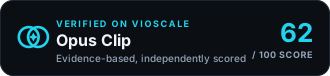
<a href="https://www.vioscale.ai/software/opus-clip" target="_blank" rel="noopener">
  <img src="https://www.vioscale.ai/badge/software/opus-clip.svg" alt="Opus Clip, verified on vioscaleAI" width="330" height="76" loading="lazy" />
</a>
Markdown, for a README →
[](https://www.vioscale.ai/software/opus-clip)Claim the profile
Verify you control the domain, then point us at the pages that state the facts about Opus Clip and add your own description and media. Free, and it does not change the score.
- Correct anything wrong, with evidence
- Point our crawler at the pages that matter
- Write your own description and add media
Not the owner? How vendor profiles work